Satellite cybersecurity is no longer theoretical. As space becomes commercialized and accessible, understanding how satellite systems operate and where they fail is critical for modern security researchers.
What "Hacking" Actually Means for Satellites
Most people associate the term hacking with three things which include password theft and Instagram account breaches and laptop malware attacks. That mental model completely breaks when you move into satellites.
Satellite hacking isn't about breaking into a website. It's about controlling a machine that you can't physically touch, can't reboot manually, and can't fix once something goes wrong.
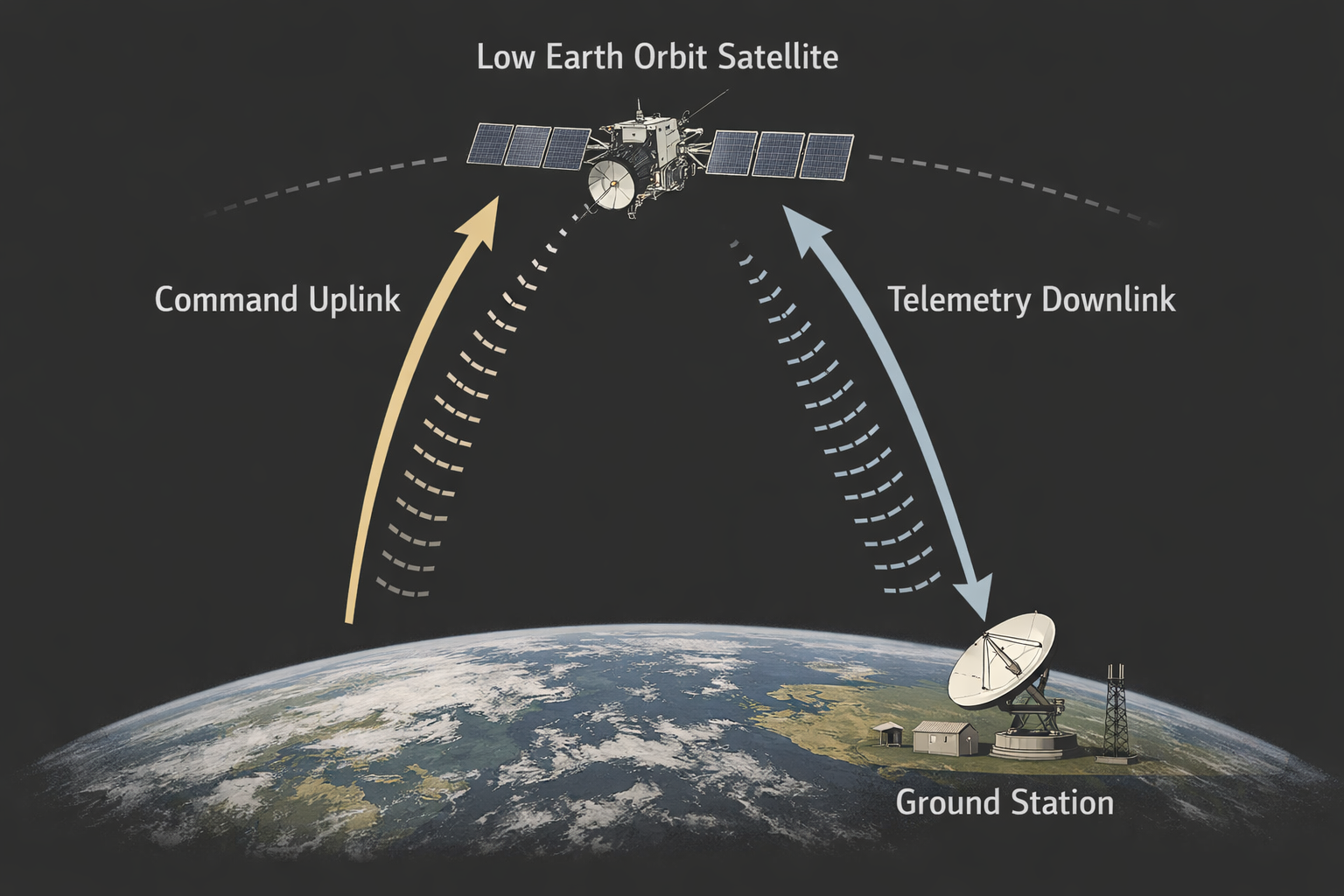
A satellite travels around the Earth at extreme velocities and its operations depend entirely on software control. If that software is abused, the satellite will happily follow along.
In practice, hacking a satellite means:
How Satellites Are Really Controlled
Let's strip away the sci-fi nonsense.
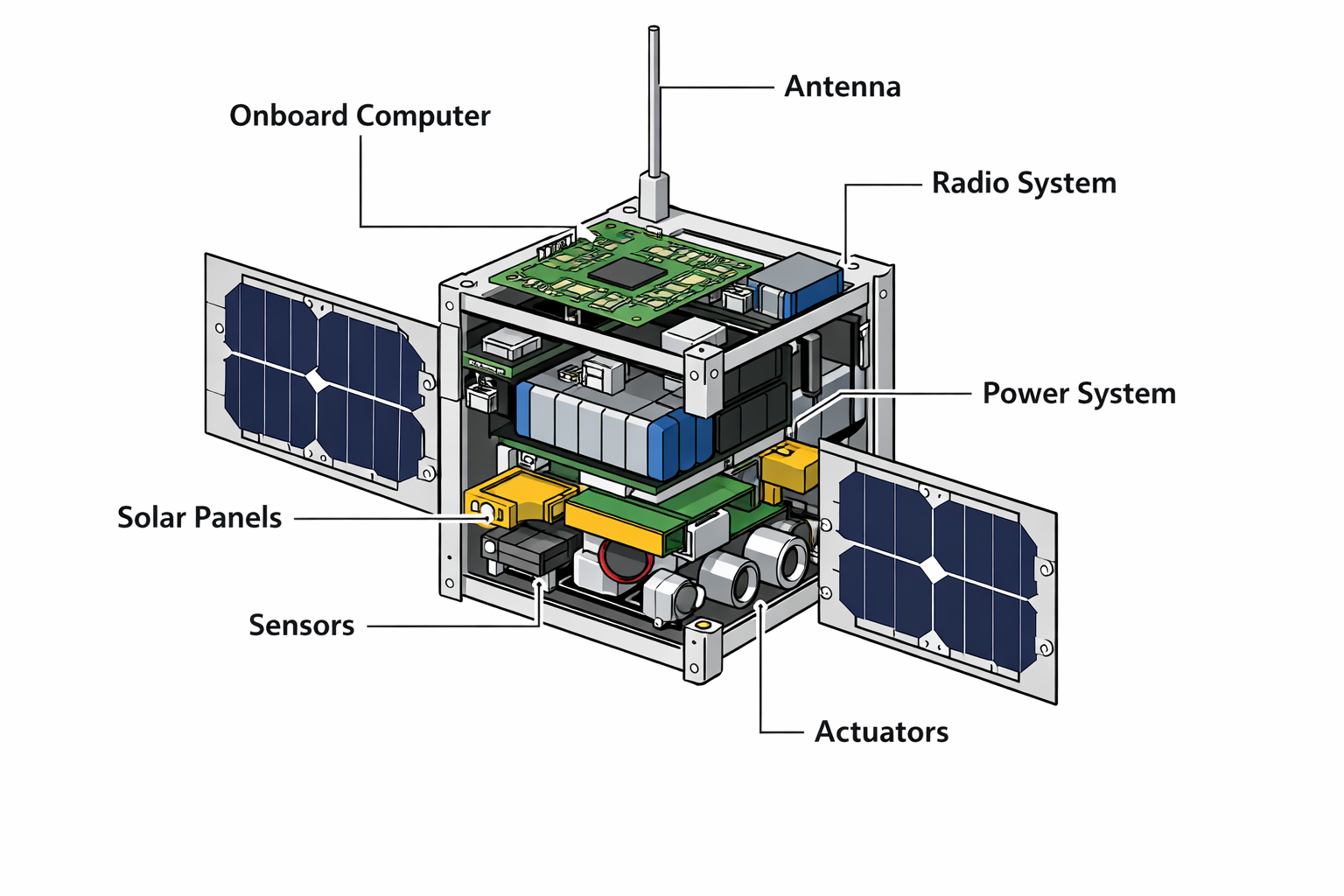
A satellite is not an intelligent autonomous being. It's a computer. A very constrained one, running specialized software, doing exactly what it's told.
Every satellite contains an onboard computer system that runs flight software. The software controls satellite operations by processing commands and managing systems and determining subsequent actions of the satellite. Earth receives information from the satellite through its radio communication system. The system operates in this manner without any supernatural elements.
Everything happens in a loop:
- A ground station sends a command
- The satellite receives it over radio
- The software parses it
- The command gets executed
- Telemetry is sent back
This loop runs constantly throughout the mission.
Here's the important part:
the satellite does not understand intent.
If the software accepts a command, it will execute it. It doesn't know whether that command came from NASA, a university lab, or an attacker with a radio and too much free time.
Security lives entirely in the software. The satellite system becomes vulnerable to attacks when its software security features become compromised.
Why Satellite Security Is a Real Problem
This is where beginners usually get uncomfortable.
A lot of real satellites do not have strong security.
Not because engineers are stupid, but because of history and constraints.
Many satellites are based on old designs created when cybersecurity wasn't a concern. Computing power is limited, so heavy crypto and modern protections are often avoided. Budgets are tight, especially for academic and experimental missions. And for a long time, there was a quiet assumption that space was "safe" simply because it was hard to access.
That assumption is dead.
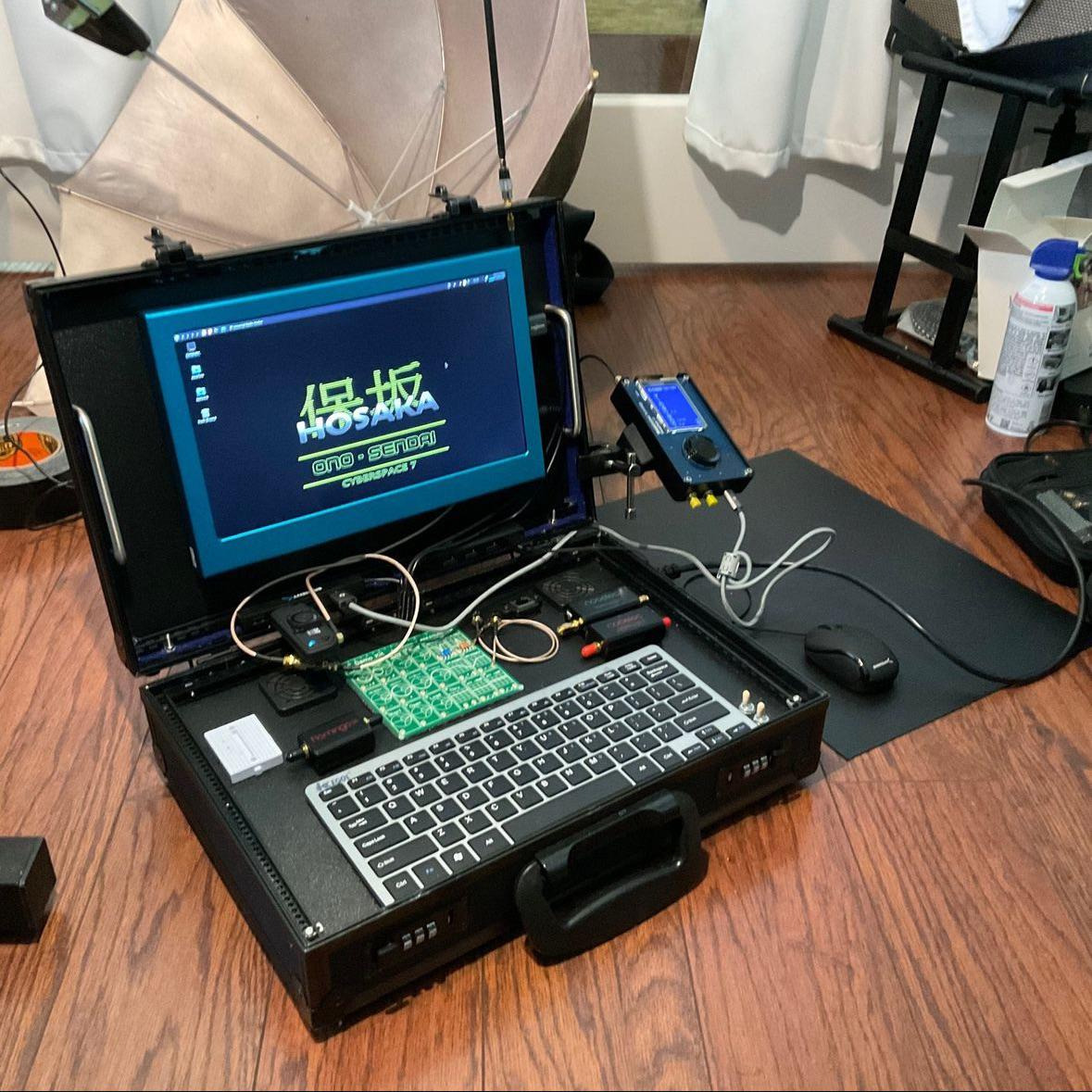
The public now has access to build ground stations using standard hardware components. Open-source flight software is available for public use. Every year universities launch CubeSats into space. The space industry has multiple commercial satellite networks operating throughout its territory.
And this isn't hypothetical. Researchers have already shown what goes wrong in the real world: command interfaces that accept instructions without authentication, debug commands that were never disabled before launch, memory corruption bugs sitting in flight software, and firmware update mechanisms with little to no protection. These aren't edge cases. They're structural failures that fall straight out of how these systems are designed and operated.
Where Satellites Are Most Vulnerable
You don't need a PhD to understand the main attack surfaces.
Radio Command Interface
If commands aren't encrypted or authenticated properly, a satellite can't tell who's talking to it. If it hears something that looks valid, it will listen.
That's it. No drama.
Flight Software Bugs
Most flight software is written in C or C++. That means memory bugs are not rare they're expected.
Common problems include:
- Buffer overflows
- Unsafe packet parsing
- Trusting packet length fields
- Dangerous debug commands
One bad bug in the right place can mean total control.
Ground Systems
Even if the satellite software is solid, the ground systems might not be. Weak passwords, misconfigured networks, or sloppy access control can lead to indirect compromise.
Security must be end-to-end.
If any part is weak, the whole system is weak.
Why Beginners Struggle With Satellite Security
- Advertising intervals & payloads
- Connection parameters
- Visibility modes (discoverable/non-discoverable)
In short, GAP is the matchmaking layer it makes sure the devices find each other and establish a connection in a power-efficient way.
GATT (Generic Attribute Profile)
Once connected, devices switch to GATT mode. This is where all the actual data communication happens.
GATT is built around:
- Services: Logical containers for grouping functionality (e.g., Heart Rate Service).
- Characteristics: Individual data points or controls (e.g., current heart rate).
Each characteristic can have properties:
- Read: Get data from the device.
- Write / Write Without Response: Send data to the device.
- Notify: Get automatic updates when data changes.
- Indicate: Like notify, but requires acknowledgment.
The communication follows a request-response model over ATT (Attribute Protocol) this is where we work with handles and hex values.
Central vs Peripheral (Device Roles)
- Peripheral: Usually a small, power-efficient device that passively advertises its presence. It doesn't initiate connections but waits for a Central.
- Central: The active scanner. It scans for advertising devices and initiates the connection.
These roles are fixed per session, but some devices (like smartphones) can switch roles dynamically if needed.
Advertising & Scanning
Advertising is the broadcast mechanism used by peripherals to announce their presence. These are small packets (max 31 bytes + 31 optional scan response bytes) that include:
- Device name
- Available services UUIDs
- Manufacturer-specific data
- Connection request flags
Scanning is how a Central listens for these packets. Once it finds a relevant device, it may initiate a connection request based on the advertisement data.
You can capture this process using HCI logs and analyze it with Wireshark.
BLE Connections
After a successful scan + connect, a secure and lightweight BLE connection is established. Key points:
- Data is exchanged on 37 data channels (out of 40 total 2.4GHz channels).
- Connection interval, latency, and supervision timeout are negotiated to save power.
- The link is maintained using regular connection events, even when no data is being sent.
Think of it as a chatroom they stay connected but don’t need to talk constantly.
Services & Characteristics (GATT Layer)
Every BLE device exposes a GATT Profile, consisting of:
- Services (e.g., Battery Service)
- Contain one or more Characteristics (e.g., Battery Level)
- Each characteristic has a handle, UUID, value, and properties.
This hierarchy is what we interact with using tools like gatttool. When we do char-write-req -a 0x0035, we’re writing to a specific characteristic handle. Each service and characteristic is identified using a 16-bit or 128-bit UUID, and the order matters because tools like Wireshark show them as grouped attributes.
Security in BLE
- Pairing: The process of creating a temporary encrypted link by exchanging cryptographic keys. This establishes a one‐time secure session so that subsequent communication in that connection is encrypted.
- Bonding: After pairing, devices can save (bond) the exchanged keys so that future reconnections between the same devices can automatically resume encryption without repeating the full pairing process.
- Association Models (how the keys are exchanged):
- Just Works
- No user input required—easy but vulnerable to MITM attacks.
- Passkey Entry
- One device displays a 6‑digit code which the user enters on the other device, adding protection against eavesdropping.
- Numeric Comparison (BLE 4.2+)
- Both devices display a number; the user confirms they match to guard against MITM.
- Out of Band (OOB)
- Uses an external channel (e.g., NFC) to exchange data securely before pairing, offering the strongest protection.
Wrapping Up & What’s Next
We’ve covered the basics of Bluetooth Low Energy how it works, why it’s used, key concepts like GAP, GATT, advertising, scanning, and how BLE devices communicate through services and characteristics. This foundation gives you the context needed to start interacting with real devices.
In Blog 2, we’ll dive into the actual communication between a BLE smartwatch and its app capturing it using HCI snoop logs, and analyzing it with Wireshark to uncover how the app talks to the device.
Then in Blog 3, we’ll use that information to manually connect to the device using gatttool, write custom values to it, and see how those changes reflect on the smartwatch. Let’s move from learning how BLE works to actually making it work for us.